Sales Enablement Strategy
How to Build Interactive Sales Assets for Kollab: Free Savings Calculator Template
A free, working Savings Calculator template you can try live, download, and adapt as a pattern for building your own interactive assets in Kollab.
4 min read

Tanner Randall
Founder, Kollab
Most sales collateral is static: a PDF, a deck, a one-pager. It says the same thing to every buyer and gives you no signal about whether it landed. An interactive asset—something a buyer actually clicks through—does both jobs at once: it personalizes the pitch to their numbers, and it tells you they engaged.
Below is a real, working example: a 4-step Savings Calculator built as a single self-contained HTML file, ready to drop into a Kollab workspace as an embedded asset.
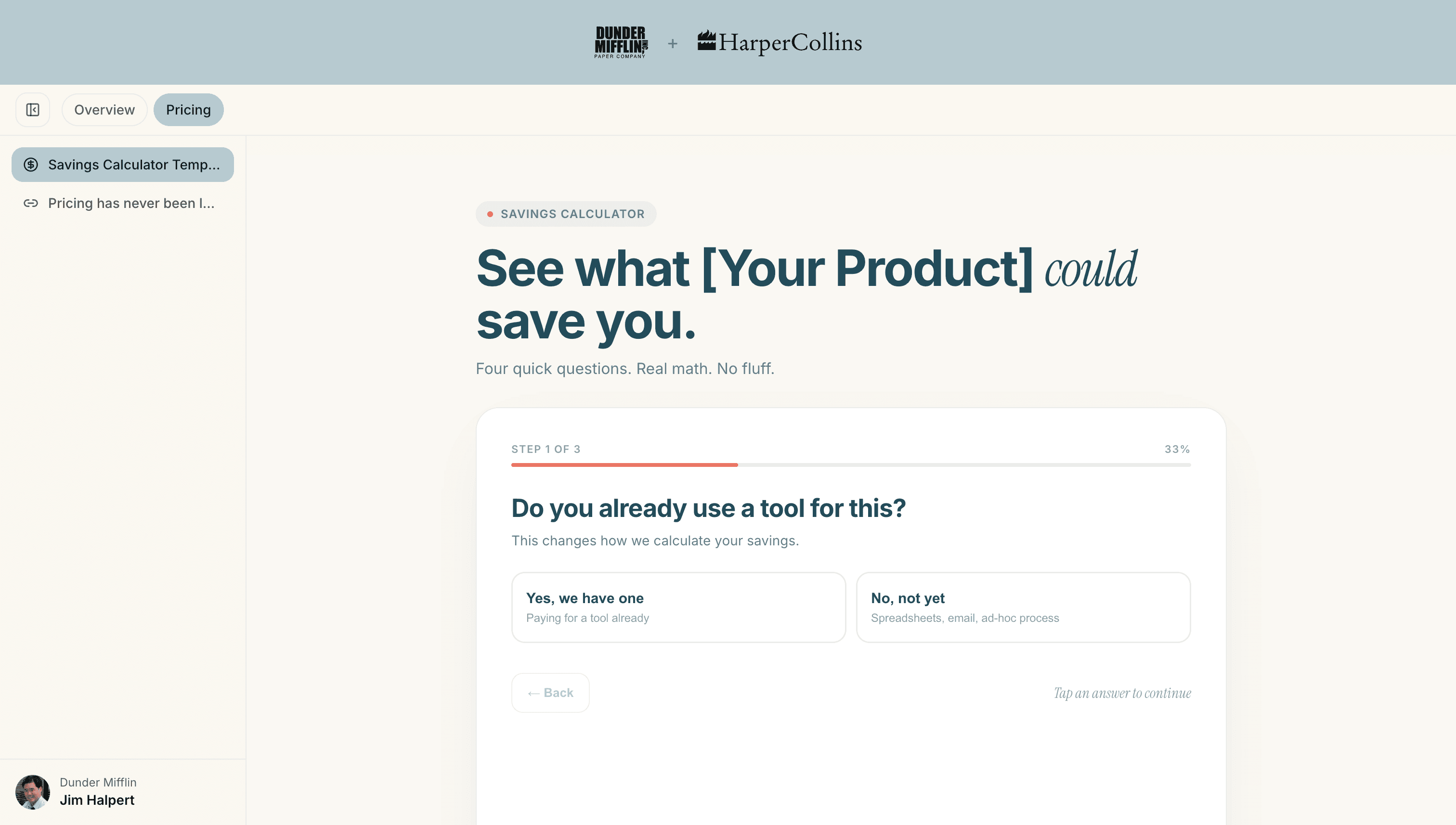
Try It: Live Savings Calculator
Open the live demo ↗ to try the calculator yourself.
Download the template file to upload it directly into a Kollab workspace as an asset.
How This Template Works
The calculator walks a buyer through four quick questions instead of asking them to fill out a form:
Do you already use a tool for this? Changes how the savings math is calculated later.
How many people are involved in this workflow? Team size drives the scale of the estimate.
How much time does your team lose to this every week? Low / medium / high time-drag options.
What do you pay for your current tool? (Only shown if they answered “yes” to question 1.)
After the last answer, a short animated “calculating” state runs for effect, then the result screen reveals an animated dollar total, a breakdown of where the savings come from (time reclaimed, tool consolidation, throughput gained), and a CTA box to book a call—with an “Edit inputs” option so buyers can play with their own numbers before they leave.
The Savings Math
The formula behind the number is intentionally simple and editable:
Time reclaimed = hours lost per week × team size × a reclaim percentage × hourly rate × 48 working weeks.
Tool consolidation = a portion of their current tool spend (if they have one), or a flat per-person estimate if they don’t.
Throughput gained = a per-person output value scaled by the same reclaim percentage.
All three are summed and multiplied by an assumption-strength setting—conservative, moderate, or aggressive—so you can control how bold the estimate feels.
Upload It to Kollab and Customize It with AI
Getting this from downloaded file to live workspace asset takes two steps:
Upload the file as an asset. From your workspace builder (or your account’s Asset Library), upload the HTML file like any other asset, then add it to a workspace’s content tab. It renders immediately and interactively—no separate hosting, no broken links, no PDF viewer stripping out the animation.
Refine it for your brand with Kollab’s AI page generator. Open Generate a page with AI from your Asset Library, attach your logo (and your prospect’s, for a co-branded version), and describe what you want changed—swap in your product name, adjust the questions, match your brand colors. The AI updates the page live in the preview, and the conversation is saved with the page, so you can keep refining it later without starting over.
You don’t have to start from this template, either. The same AI generator ships with its own starting points—One-pager, ROI Calculator, Interactive Pricing, ROI Summary, Feature Overview, and more—if you’d rather prompt a new interactive asset from scratch.
Why Interactive Beats Static in a Kollab Workspace
A calculator a buyer runs with their own numbers is more persuasive than a slide that tells them the number—and unlike a PDF, it’s not a black hole once you hit send. Because it lives inside the workspace, you get the same Engagement Analytics as every other asset: whether they opened it, how long they spent, and whether they came back to re-run the numbers before their internal budget conversation. That’s a real signal to time your follow-up around, not a guess.
Drop this into your next workspace, adjust the math to your product, and see how engagement on an interactive asset compares to a static one-pager.
Enablement only works if reps actually use it. Kollab keeps your best assets one click from the next buyer workspace. See how it works — free to start.
Related reading
The Modern Sales Follow-Up: How to Build a Mutual Action Plan (Free Template)
Interactive Sales Proposals: Why They’re Replacing PowerPoint Decks in 2026
Content Overload: Why 70% of Your Sales Collateral Goes Unused