Kollab Product Guides
Digital Sales Room Example: A Walkthrough of a Live Buyer Workspace
Open a live example digital sales room and see how the tabs, mutual action plan, and engagement analytics work inside a real buyer workspace.
5 min read

Tanner Randall
Founder, Kollab
Most software companies describe their product. It is more useful to just open one.
Below is a live Kollab workspace — the same kind of link a rep sends a buyer after a discovery call. It is a demo built around fictional companies, but the structure is exactly what a real deal looks like.
No login, no form, no gate. That is the point: your buyer should never have to create an account to read your proposal.
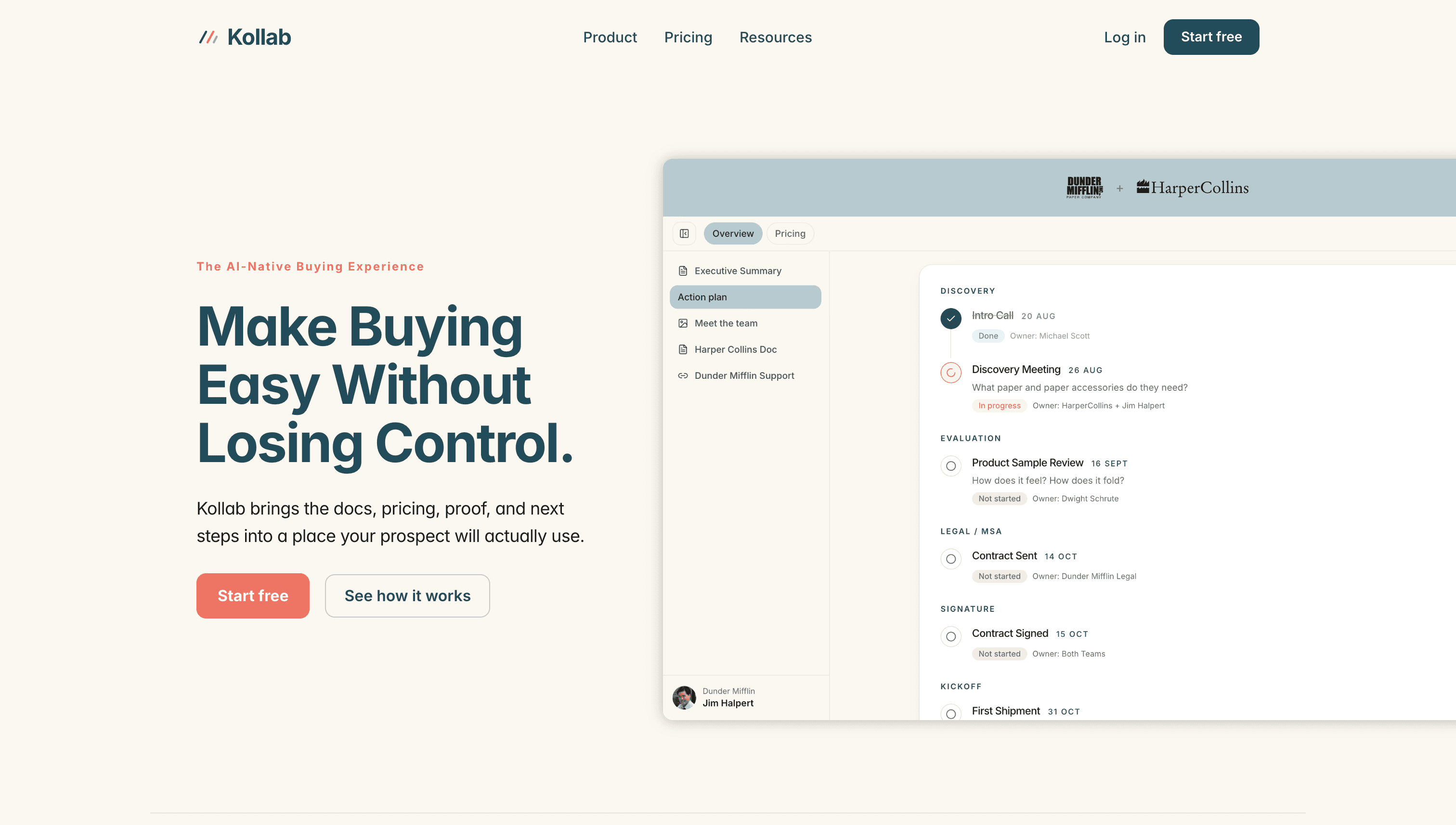
What the Buyer Sees First
The workspace opens co-branded — the seller’s logo and the buyer’s logo side by side in the header. It takes ten seconds to set up and it immediately signals that the room was built for this deal rather than sent to a list.
Underneath, the content is organised into two tabs rather than one long scroll:
Overview — the executive summary, the action plan, a meet-the-team page, the proposal document, and a support page.
Pricing — an interactive savings calculator and a short video.
That split matters more than it looks. When the champion forwards the link to their CFO, the CFO does not have to scroll past onboarding material to find the numbers — there is a tab with their name on it, effectively.
The Action Plan Is the Spine
The most important tab is the action plan, and it is worth looking at closely. It is grouped by stage rather than presented as a flat checklist:
Discovery — intro call, then a discovery meeting with a specific question attached to it.
Evaluation — a product sample review, owned by a named person on the seller’s side.
Legal / MSA — contract sent, owned by legal.
Signature — contract signed, owned by both teams.
Kickoff — first shipment, with a date.
Two details separate this from the spreadsheets most teams call a mutual action plan. First, every item has a real owner, and several of those owners sit on the buyer’s side — it is a shared plan, not a list of homework. Second, each item carries a status (Done, In progress, Not started) and a date, so anyone opening the workspace knows where the deal stands without asking.
What the Seller Sees
The buyer sees a clean workspace. The rep sees something else entirely: an engagement breakdown showing total views, unique visitors, average time spent, and — most usefully — time per asset.
In this example, the interactive savings calculator accounted for the single largest share of time spent, ahead of the formal proposal document. That is one demo session, not a statistical claim, but it points at something worth testing on your own deals: buyers spend their time on the things they can interact with, not the things you spent the longest writing.
There is also a visit timeline, second by second, showing which asset was opened and when someone came back to it. That is the difference between checking in and reaching out the afternoon your buyer re-read the pricing page.
What to Steal From This Structure
Lead with an executive summary. The first thing in the workspace should orient someone who was not on the call.
Put the plan above the collateral. Buyers want to know what happens next before they want to read more about you.
Give pricing its own tab. It is the most-forwarded part of any deal. Make it trivially findable.
Include at least one interactive asset. A calculator a buyer runs with their own numbers does more work than a slide telling them the number.
Assign owners on both sides. A plan where every task belongs to the buyer reads as homework. A plan with your name on half the rows reads as a partnership.
Build Your Own in a Few Minutes
The workspace above came out of a four-step builder: brand the header, add the action plan, choose the assets, publish the link. Save that structure as a template and the next one takes a fraction of the time.
Open the example ↗ — then build the same thing for your next deal.
New to Kollab? The free plan covers ten workspaces with custom branding, mutual action plans, and engagement analytics. See what’s included — no card required.
Related reading
White-Label Digital Sales Room: Put Your Brand on the Buyer Experience
How to Embed Interactive Demos in a Digital Sales Room (Navattic, Loom & More)
Sales Workspace Templates: Stop Rebuilding the Same Buyer Experience Every Deal